
Grimoires Era Inventory Guide: Bag Management, Selling and Expansion
Use the Bag to manage equipment, consumables and materials in Grimoires Era. Its item actions also let you sell unwanted quantities and make room for new rewards.
Open the character menu and select Bag, then choose an item to see its available actions. Sell spare quantities or delete eligible items to free space, or use the plus sign beside the capacity counter to buy five more slots.
Find Items and Read Equipment Details
Open the character menu and choose Bag. Browse the All, Weapons, Items, Materials and Consumables tabs, search by name, or use the Rarity control. Select an item to see its details and available actions.
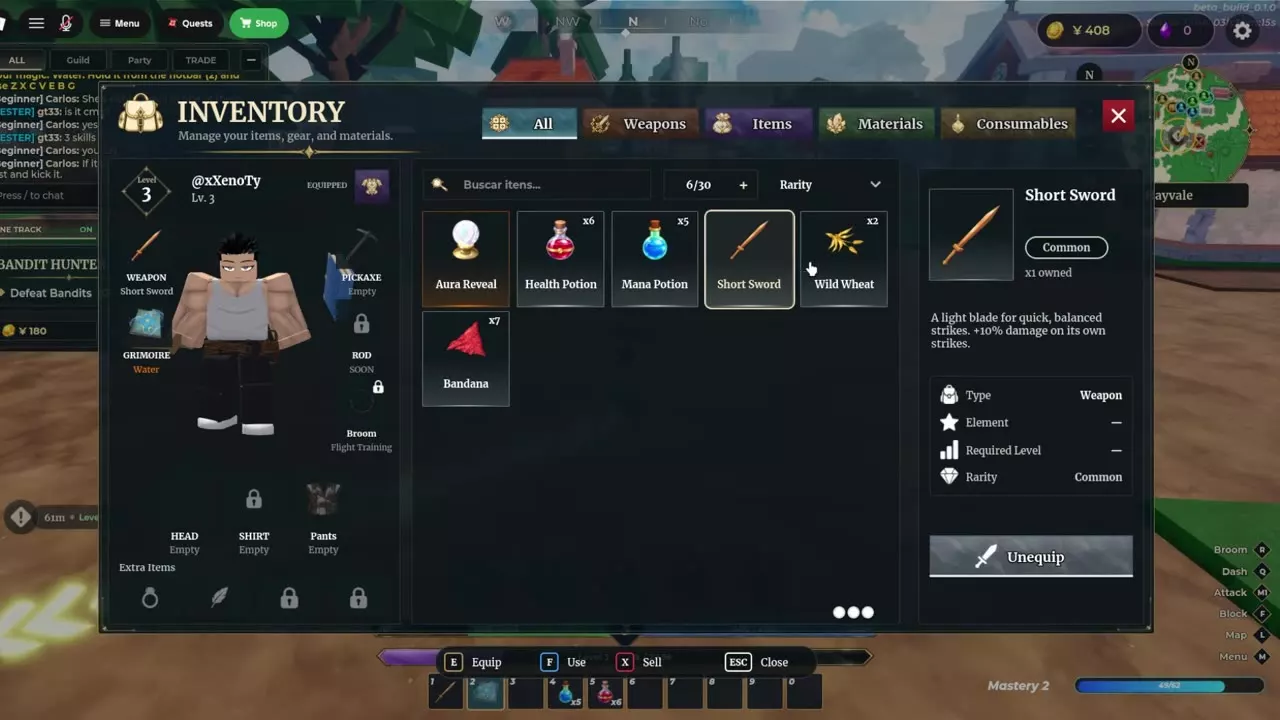
The details panel can show an item's type, element, required level and rarity. Equipment descriptions also show relevant bonuses: weapons can list damage and scaling, while pickaxes can list damage, critical multiplier and luck.
The equipment panel has slots for Weapon, Grimoire, Pickaxe, Rod or Wand, Broom, Head, Shirt, Pants and Extra Items. A slot marked Soon does not accept equipment.
Equip and Use Items
Select equipment and choose Equip to put it in its corresponding slot. The button changes to Unequip; select it to remove the item from that slot. For a usable item such as a Mana Potion, select Use instead.
On PC, the Bag shows E for Equip, F for Use, X for Sell and Esc to close. Actions depend on the selected item.
Select a Grimoire Fragment Chest stack and choose Open for one chest or Open 10x for up to ten. Its pages can be used in grimoire crafting and Era upgrades.
Sell Quantities or Delete Eligible Items
- Open the Bag and select the item or stack you want to clear.
- Choose Sell, or press X on PC, and select the quantity to sell. The chosen quantity is removed and you receive Yens.
- If an item has no sale value and offers Delete, use that action to remove it without a payout.
Keep enough materials for your next recipe or quest before selling the rest. Pact Scroll, Felis Pact Scroll and Canis Pact Scroll are account-bound and cannot be sold.
Free Space or Buy Five More Slots
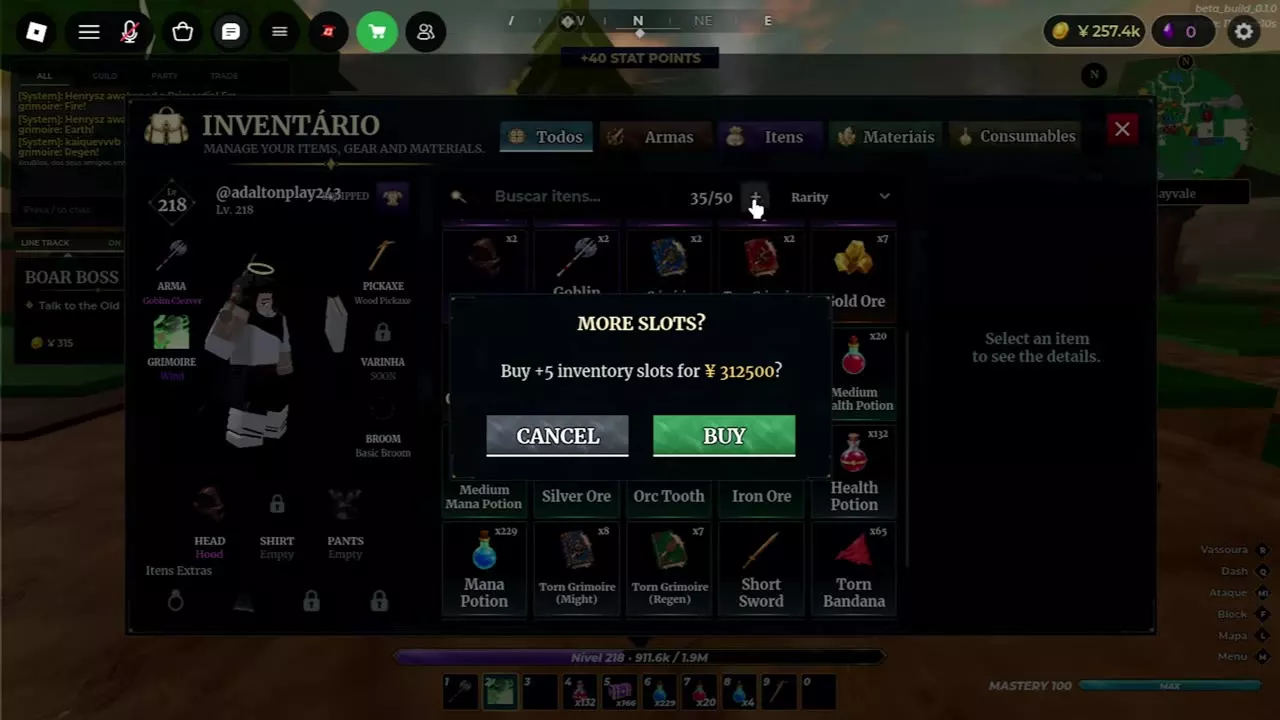
The Bag counter shows occupied slots over total capacity: 35/50 means 35 of 50 slots are occupied. To expand it:
- Select the + beside the counter to open the offer.
- Read the displayed price and slot increase. At 50 total slots, five more cost 312,500 Yens.
- Choose Buy if you have enough Yens, or Cancel to return to the Bag.
A full Bag blocks actions such as opening a Grimoire Fragment Chest or buying an item from a market shelf. Sell or delete an eligible item to free at least one slot, or buy more capacity, then retry the action.
Materials, Shops and Fragment Chests
- Check materials, Torn Pages and Pact items before selling supplies you might need for a recipe or quest.
- Visit the Hayvale Item Seller and market for item purchases and rotating shelf stock.
- Plan your spending with the Yens guide.