
Grimoires Era Fast Travel: Destinations, Levels and Fares
Fynhal’s Transport Guild portals connect Hayvale with destinations across Grimoires Era. Check your destination’s level requirement and fare before you travel.
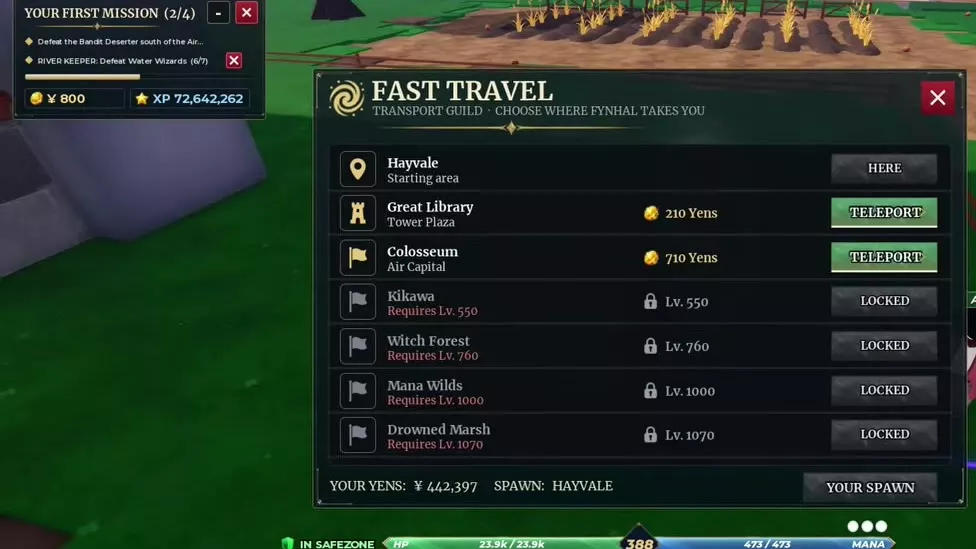
At Fynhal’s glowing portal, press E to open Fast Travel. Choose a destination with a Teleport button, meet its listed level requirement, and pay the displayed fare.
Fynhal’s Transport Guild Portals
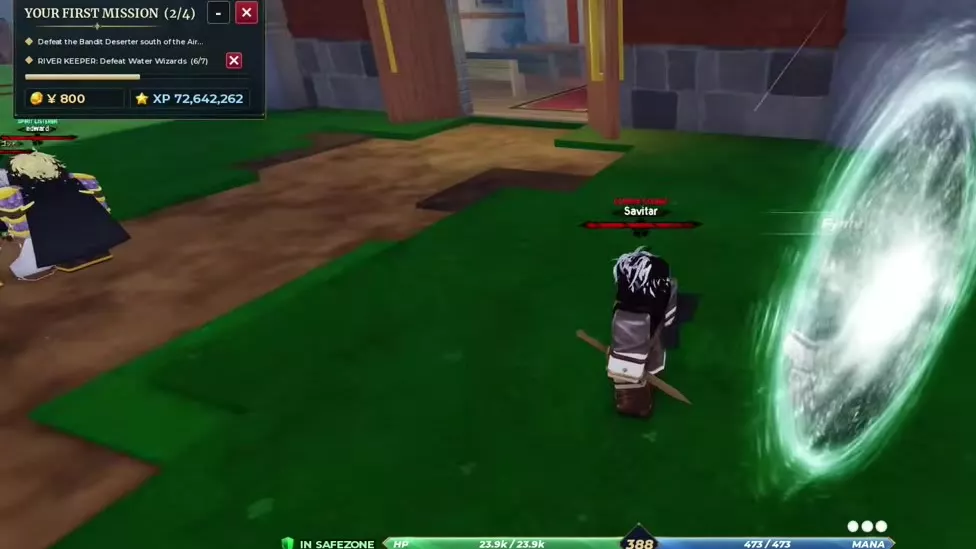
In Hayvale, find Fynhal beside the glowing portal near the starting church. Another Fynhal portal is inside the Great Library.
After the opening grimoire awakening, return to Hayvale and look for the Fast Travel Unlocked! message. Bring enough Yens for the fare shown at your departure point.
Destinations and Fares
From Hayvale, the Great Library stop arrives at Tower Plaza and costs 210 Yens; the Colosseum stop arrives at Air Capital and costs 710 Yens. The return trip from the Great Library to Hayvale costs 210 Yens. Check the displayed fare for your departure point.
7 objects
| Name | Required level |
|---|---|
|
550
| |
| |
|
760
| |
| |
|
1,000
| |
| |
|
1,070
| |
| |
| — | |
| |
| — | |
| |
| — | |
| |
Great Library
- Fast travel destination
-
Tower Plaza (Great Library destination)
- Fast travel fare
-
210 Yens (When traveling to the Great Library through Fynhal)
- Library inside
- Grimoire Tower
- Awakening takes place during
- First Day (After the second Father Aldo conversation)
- Spin menu available
- Grimoire Spins (In the Tower after the opening awakening)
Choose a Destination and Teleport
- Approach Fynhal’s glowing portal and press E to open the Transport Guild’s Fast Travel menu.
- Check the destination name, arrival area, fare and any level requirement.
- Select Teleport on an available destination and wait for the area to load.
The Colosseum stop places you outside its entrance. Walk inside if you are going to the Arcane Knight Exam.
Locked, Here and Spawn Labels
- Locked: Your level is below the destination’s listed requirement. Reach that level before choosing the stop.
- Here: The destination row has no Teleport button. Hayvale is labeled Starting Area, while Camp is labeled Eastern Camp.
- Spawn: The bottom of the menu shows your current Spawn location and a Your Spawn button.
Map Routes and Flight
If a destination is locked, use the world map to find locations and set a route. You can also complete broom flight training for another way to travel.