How to Get More Grimoire Spins in Grimoires Era
Start with the free Spins you can claim early in Grimoires Era. Then build up your balance through daily logins and objectives you already work on while leveling.
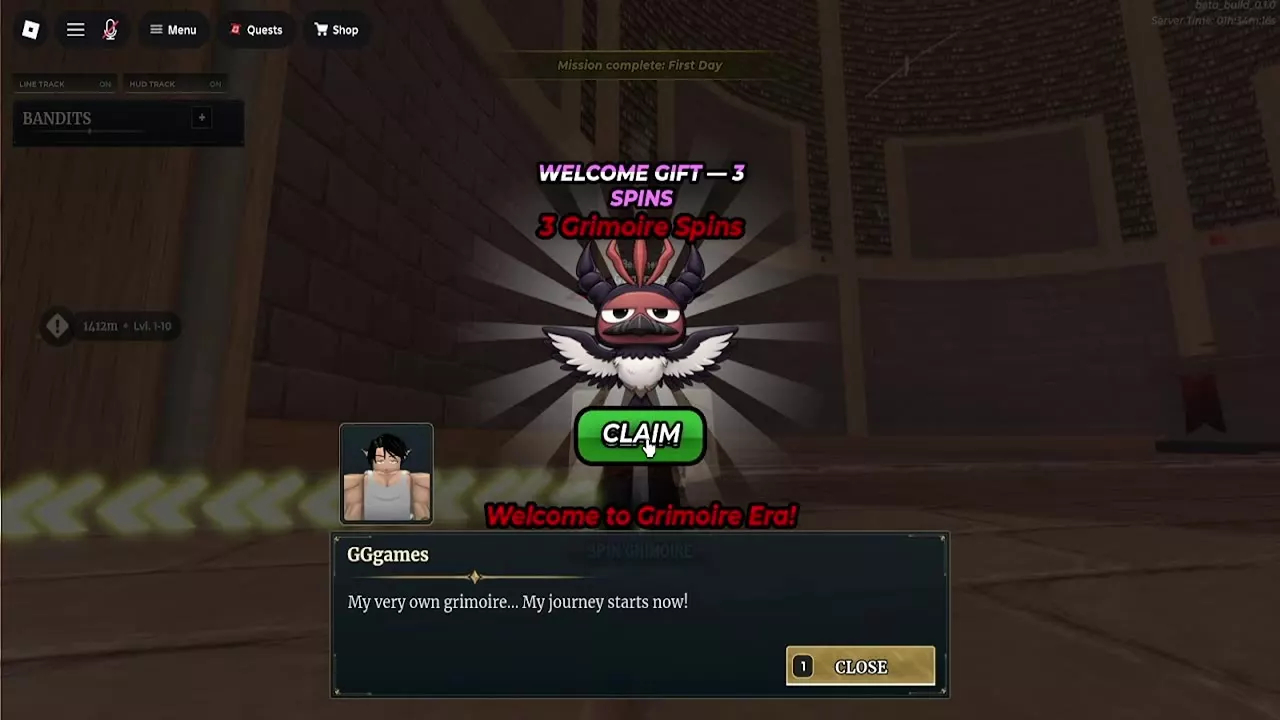
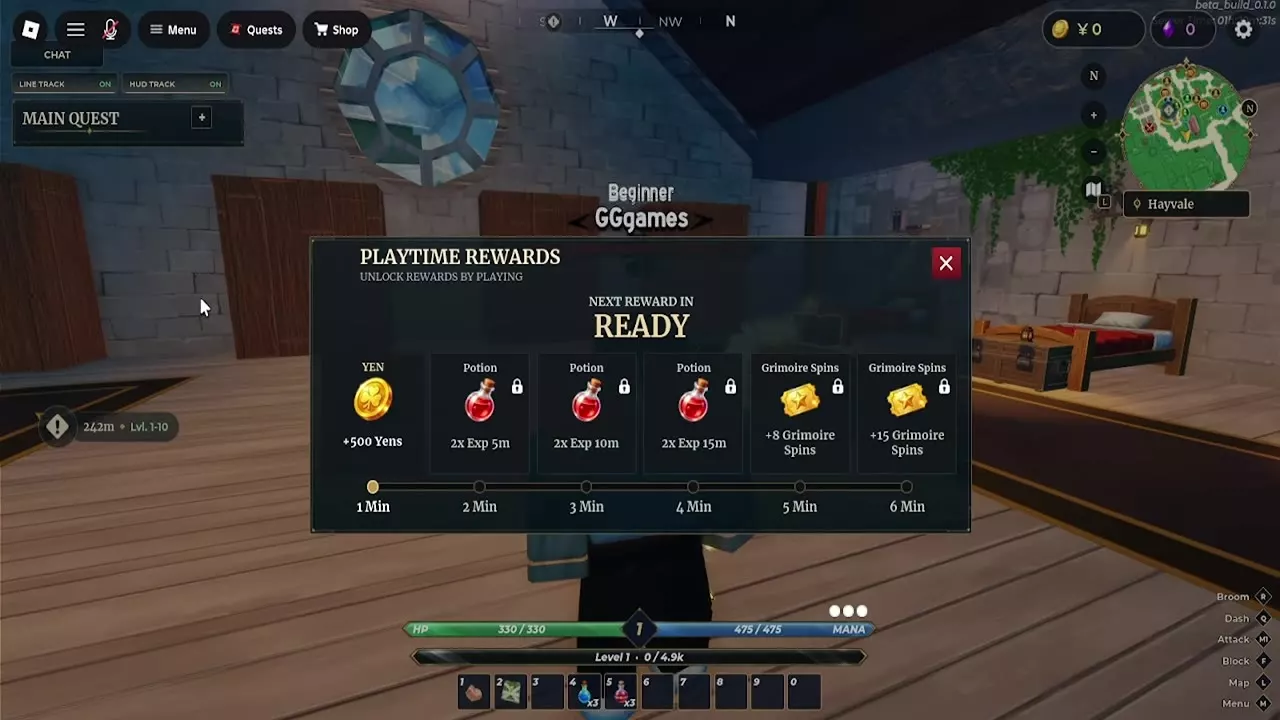
Claim 3 Grimoire Spins after First Day, 8 from Day 1 of Daily Rewards, and 8 and 15 from the five- and six-minute Playtime Rewards. Those four claims add up to 34 Spins. For more, keep claiming your login rewards and collect Spins from completed Missions, counted invites, and free Battlepass tiers. Save your balance if you want to exchange it for a specific grimoire.
Start with Welcome, Login and Playtime Rewards
- Finish First Day by completing your awakening at the Great Library. Select Claim on the Welcome Gift popup to collect 3 Grimoire Spins.
- Open Daily Rewards from the character menu and select Claim on Day 1 for 8 Spins.
- Open Playtime Rewards from the same menu. Stay in the game and select each Spin reward when it shows Ready. The five-minute tier pays 8 Spins and the six-minute tier pays 15. Collected rewards show Claimed, and the panel displays the wait for the next reward.
Claim Spins from Completed Missions
Open Missions from the character menu. Check the progress and reset countdown on both Daily and Weekly, then pick the objectives that fit what you plan to do in that cycle.
- NPC quests and enemies. Start with Daily Quest Grinder if you're leveling through NPC jobs. Five quests pay 3 Spins, and 50 in the weekly cycle pay 18. Enemy kills can advance a second objective on the same route. Defeat 300 enemies for 4 daily Spins or 1,500 for 15 weekly Spins.
- World bosses. If you're already hunting world bosses, 5 defeats pay 6 daily Spins and 20 pay 18 weekly Spins. For a questing session, five NPC quests make a better starting target than a separate boss hunt.
- Time and chests. Time Played pays 2 Spins at 2 hours in the daily cycle and 9 at 20 hours in the weekly cycle. If you're opening map chests along the way, Daily Chest Hunter pays 1 Spin for 25 chests.
- Completed dailies. Three Daily Mission clears earn another 5 Spins from Daily Mission Master. Those clears also count toward Weekly Grinder, which pays 6 Spins for 15 completed Daily Missions.
When a mission shows Completed, select Claim on its Spin reward and look for the reward confirmation. Claim each reward separately. On Weekly Quest Grinder, for example, you can collect the Spins and leave the Double EXP reward available for a later session within the cycle.
Treat Spin Spender as a rebate on rolls you already planned. It returns 2 Spins after 50 rolls, leaving you 48 Spins down.
Build Login and Battlepass Progress
Keep the seven-day calendar going
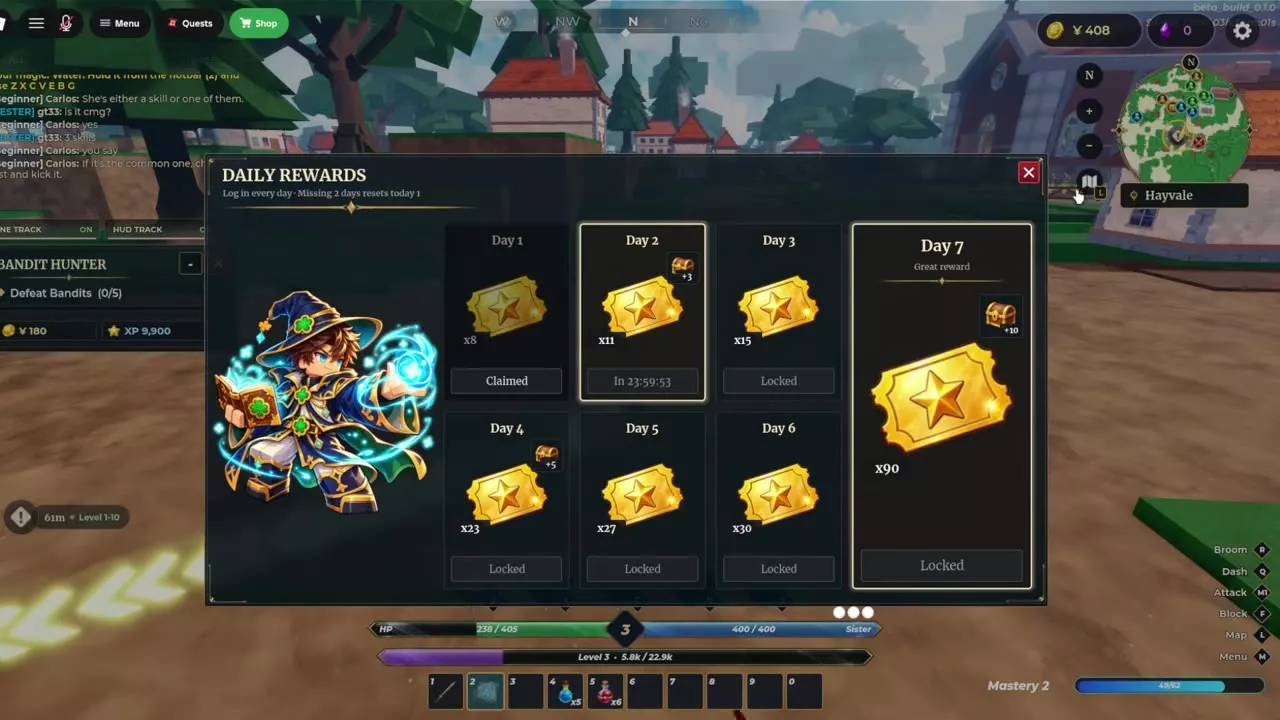
Claim the available Daily Rewards entry each day. Days 1 through 7 pay 8, 11, 15, 23, 27, 30, and 90 Spins, respectively, for 204 Spins across all seven claims. After your first claim, look for the roughly 24-hour countdown to Day 2. Missing two days resets the calendar to Day 1, so keep up with the claims if you're saving for the 90-Spin Day 7 reward.
Claim free Battlepass tiers as you level
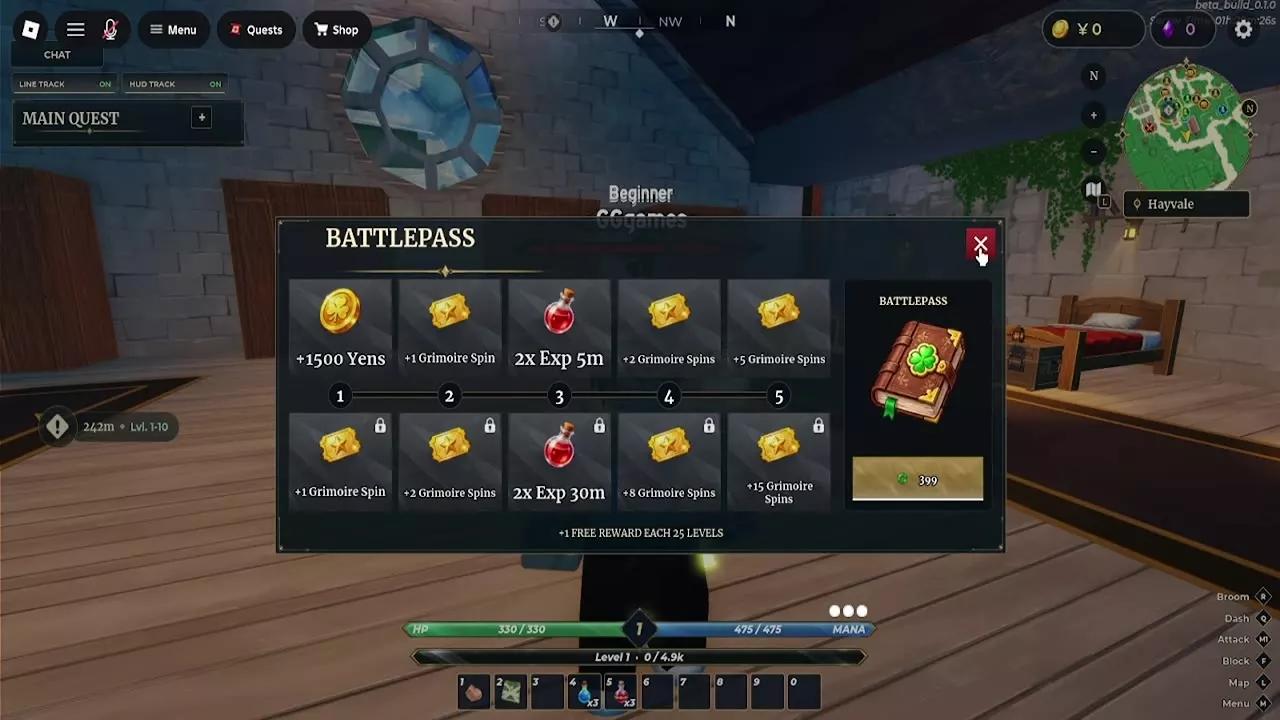
Every 25 character levels unlocks one free Battlepass reward. Open Battlepass from the character menu and select the available reward on the upper row. Among the first five free tiers, tier 2 gives 1 Spin, tier 4 gives 2, and tier 5 gives 5, for 8 Spins in total. A collected tier shows Claimed. See the first five free and premium Battlepass tiers for the full rewards on both tracks.
Invites, Combat and Event Offers
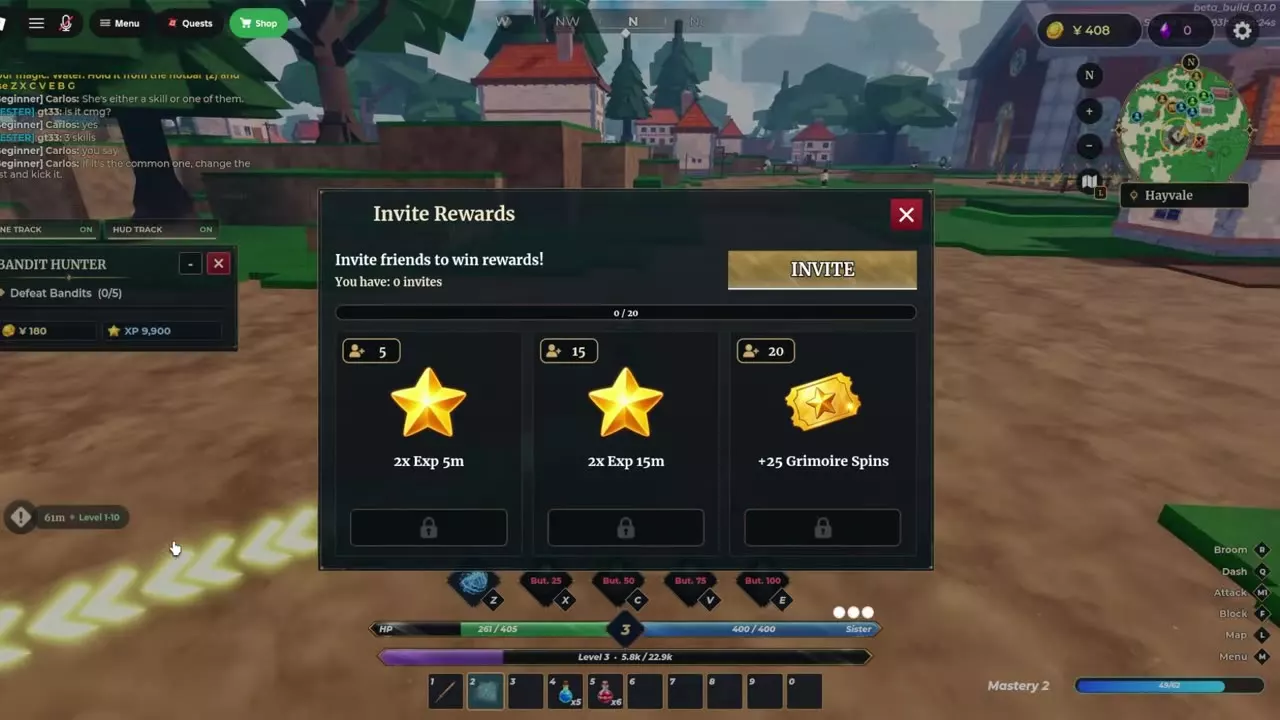
- Invites. Open Invite from the character menu, then use the button in Invite Rewards to invite friends. The panel tracks your counted invites. The Spin reward is 25 Spins at 20 counted invites. The 5- and 15-invite tiers award Double EXP.
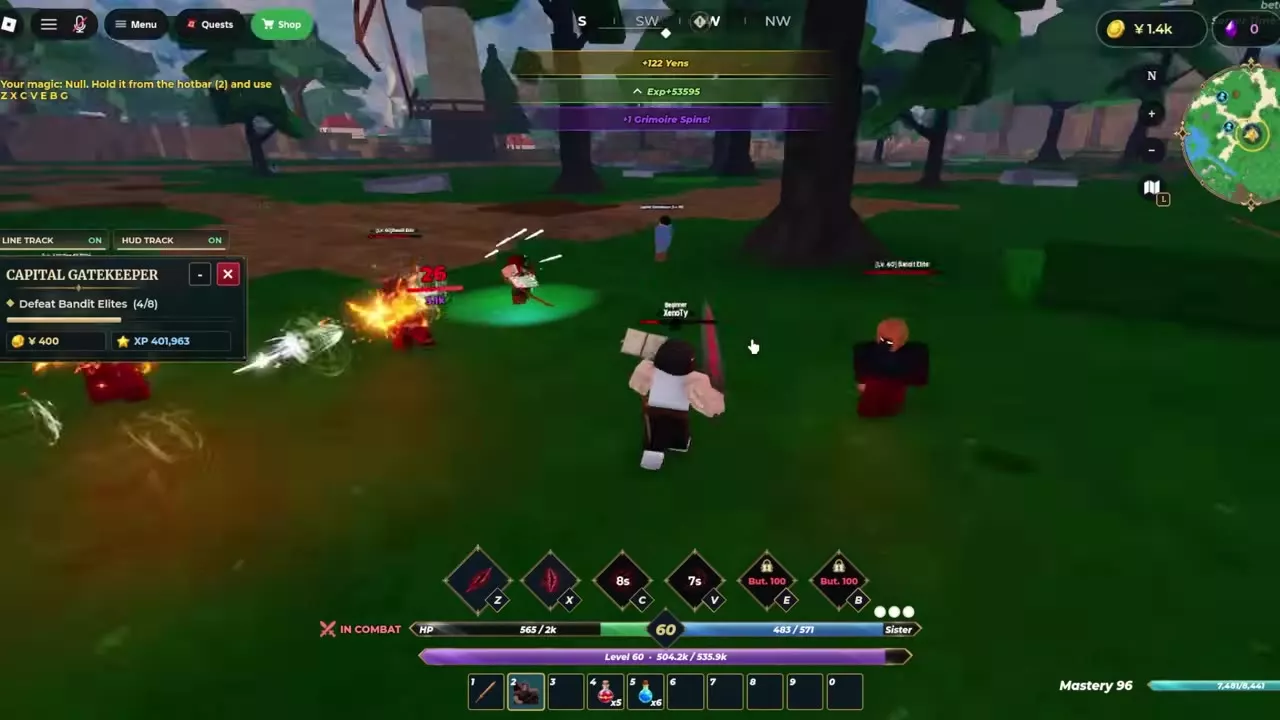
- Bandit Elites. Treat combat Spins as a bonus while questing. A fight with level 60 Bandit Elites awarded 1 Grimoire Spin while the Capital Gatekeeper's defeat objective was still in progress.
- Grimoire Hunters. Look for the event card in the lower-left corner of the main menu. Select Follow when the card offers it. A card that reads +15 Grimoire Spins claimed confirms that reward was credited.
- Codes. If the main-menu Codes panel lists an unused Spin reward, join the game's Roblox group to unlock redemption, then redeem the code in that panel.
Save for a Book or Buy a Pack
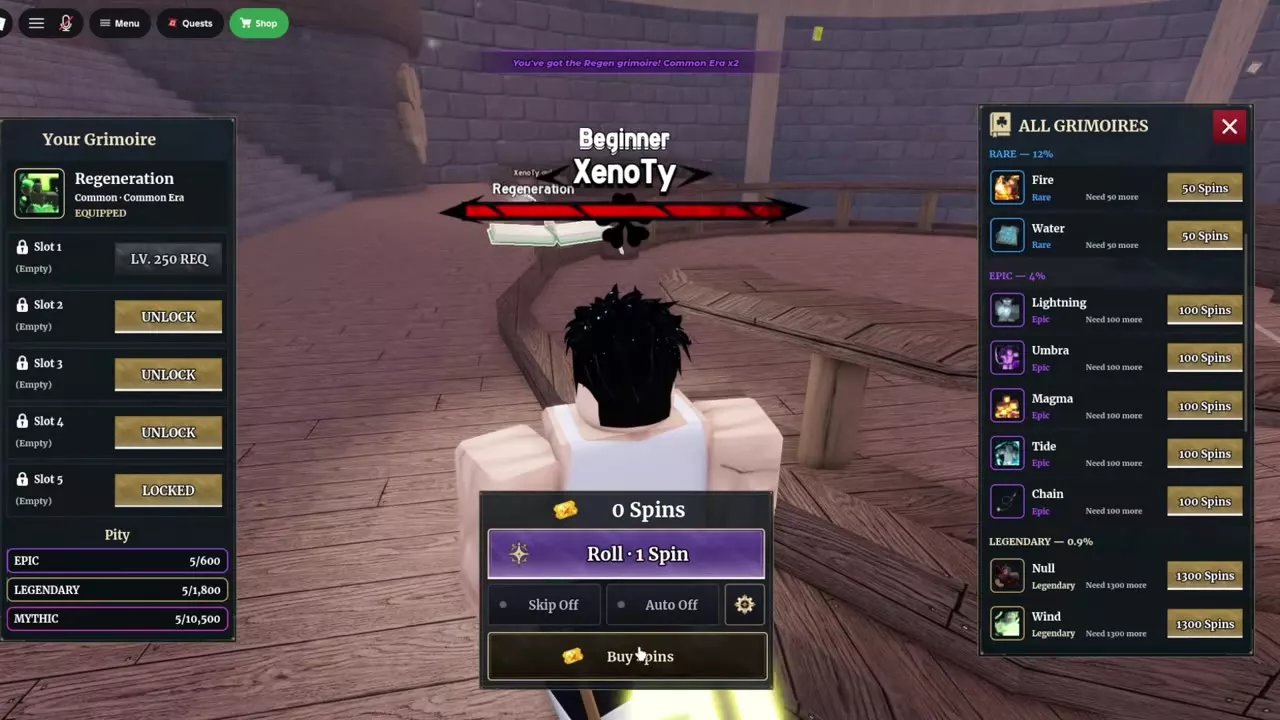
If you want a specific grimoire, find it under All Grimoires at the Tower and save until your balance covers the price beside that book. Need more shows how many Spins you're short. Use the book's price button once you have enough. For example, if you're saving for Fire at 50 Spins, the four early claims leave you 16 Spins short. A random roll costs 1 Spin and draws a book and Era result. Roll when you're happy with several possible outcomes, since every roll also reduces your exchange balance.
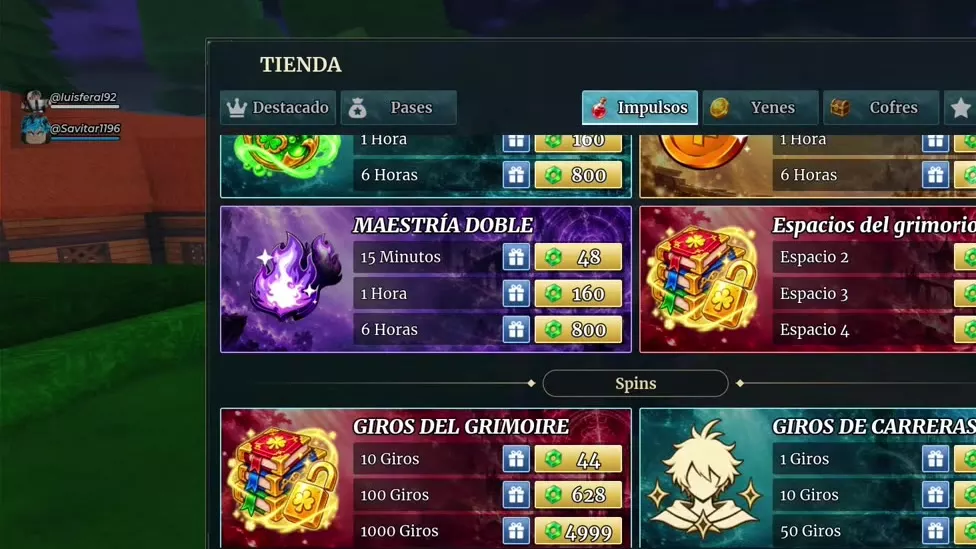
If you're buying Spins to cover a shortfall, compare Buy Spins on the Tower roll screen with the Grimoire Spins packs in the in-game Shop's Spins section. A 10-pack costs 36 Robux in Tower Buy Spins and 44 Robux in the Shop. Compare the quantity and total price in the menu you're using before confirming the purchase.