Grimoires Era Playtime and Invite Rewards
Stay online and invite friends to unlock Yens, Double EXP, and Grimoire Spins in Grimoires Era.
Open Playtime Rewards and select each reward when it says Ready. Invite Rewards tracks separate milestones at 5, 15, and 20 counted invites, with Double EXP and 25 Grimoire Spins available.
Two Reward Counters
Playtime Rewards advances while you stay in the game. Invite Rewards tracks counted friend invitations. Each has its own menu and milestones; the Missions Time Played objective is a separate goal.
Playtime Rewards
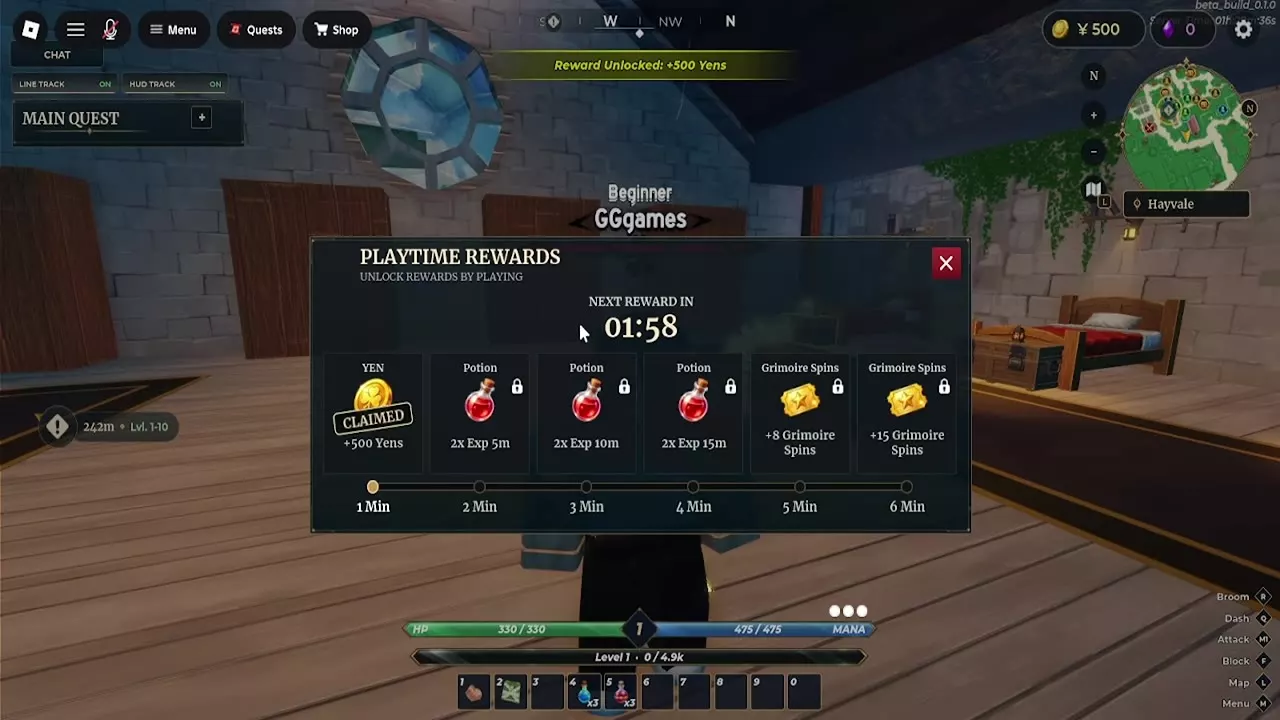
Open Playtime Rewards and stay in the game until a milestone says Ready. Select the reward to collect it. The red bottle icon marks the timed Double EXP rewards; the five- and six-minute tiers provide Grimoire Spins.
Playtime Rewards
- Awards
- 500 × Yens (1-minute milestone)8 × Grimoire Spins (5-minute milestone)15 × Grimoire Spins (6-minute milestone)
| Level / Stage | Online playtime | Yens | Double EXP | Grimoire Spins |
|---|---|---|---|---|
| 1 minute | 1 minute
| 500 Yens
| — | — |
| 2 minutes | 2 minutes
| — | 5 minutes
| — |
| 3 minutes | 3 minutes
| — | 10 minutes
| — |
| 4 minutes | 4 minutes
| — | 15 minutes
| — |
| 5 minutes | 5 minutes
| — | — | 8 spins
|
| 6 minutes | 6 minutes
| — | — | 15 spins
|
Invite Rewards
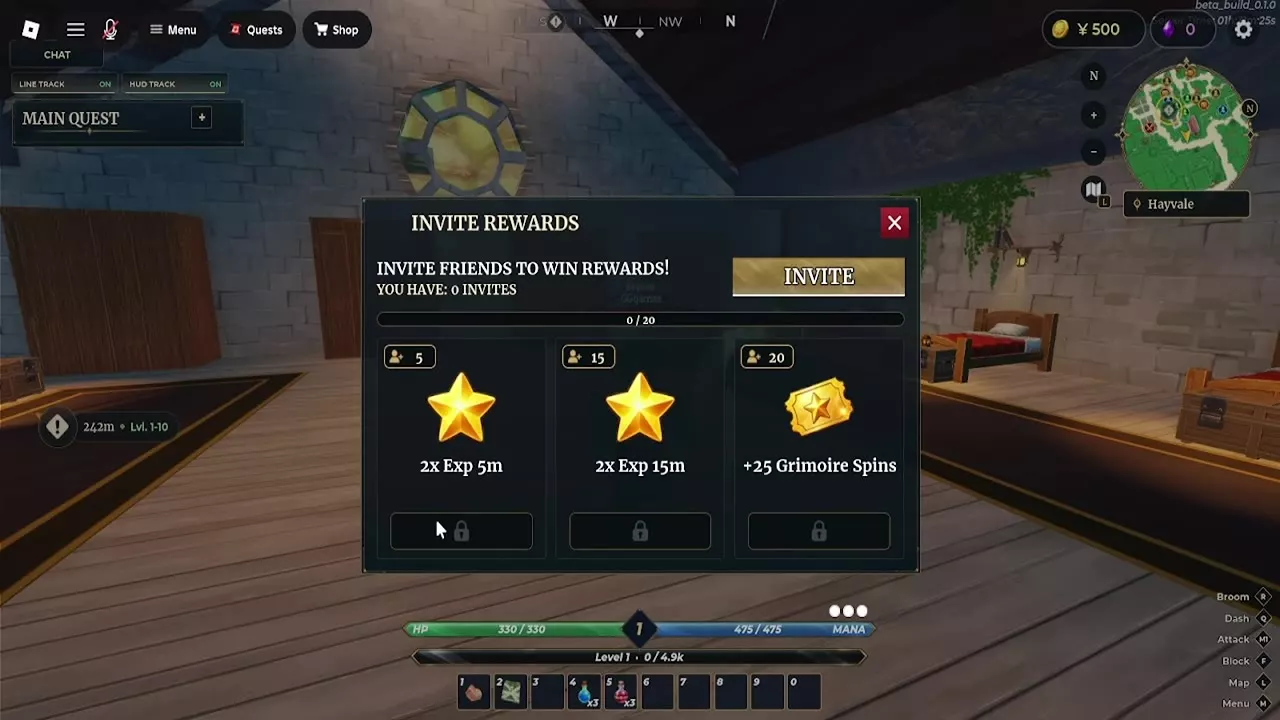
Open the character Menu, select Invite, and use the Invite button in the rewards panel to invite friends. Compare the panel's count with the milestone you want. For example, a count of 12 is eight counted invites short of the 20-invite reward.
Invite Rewards
- Awards
- 25 × Grimoire Spins (20 counted invites)
| Level / Stage | Invites required | Double EXP | Grimoire Spins |
|---|---|---|---|
| 5 invites | 5 invites
| 5 minutes
| — |
| 15 invites | 15 invites
| 15 minutes
| — |
| 20 invites | 20 invites
| — | 25 spins
|
Track Ready and Locked Milestones
In Playtime Rewards, a collected entry changes to Claimed, and the countdown shows the wait for the next reward. In Invite Rewards, tiers remain locked until the displayed count reaches their required number.
Missions and Spin Sources
Check Daily and Weekly Mission Rewards for their separate objectives and claim timers. For more ways to collect and spend spins, see How to Get More Grimoire Spins.